

Siperb has rebuilt its mobile apps as native softphone apps for Android and iOS. Both apps now run on one shared engine, the Browser Phone SDK. Each platform’s interface is written in that platform’s own language: Kotlin for Android and Swift for iPhone and iPad. The web and desktop apps use a separate interface project on the same engine. The result is a phone app that feels at home on each device, with one core doing the heavy lifting underneath.
From one web view to one shared core
Until now, Siperb took a single-codebase approach. One web view was wrapped for every platform, so the app looked the same, pixel for pixel, on web, mobile and desktop. That kept development simple: one codebase and one look.
The landscape has since changed. Apple and Google have both moved their design languages on, with Liquid Glass on Apple devices and Material 3 Expressive on Android, and people now expect an app to look and behave like it belongs on their phone. An app that looks identical everywhere ends up looking native nowhere. That shift prompted Siperb to change its approach.
How the new softphone architecture works
The new architecture has three layers:
| Layer | What it is | Where it runs |
|---|---|---|
| Browser Phone SDK | The shared core. It handles all the moving parts, such as storage and networking. | Every Siperb app |
| Native mobile UI | The interface, written in Kotlin (Android) and Swift (Apple) | Android and iOS apps |
| Browser Phone UI | The interface for the browser and the desktop app (built with Electron) | Web and desktop apps |
Splitting the core from the interface has two practical benefits. Every app shares the same engine, so a fix or a new feature in the core reaches every platform. Each interface is also free to follow its own platform’s conventions rather than a compromise between all of them.
What a native softphone means on your phone
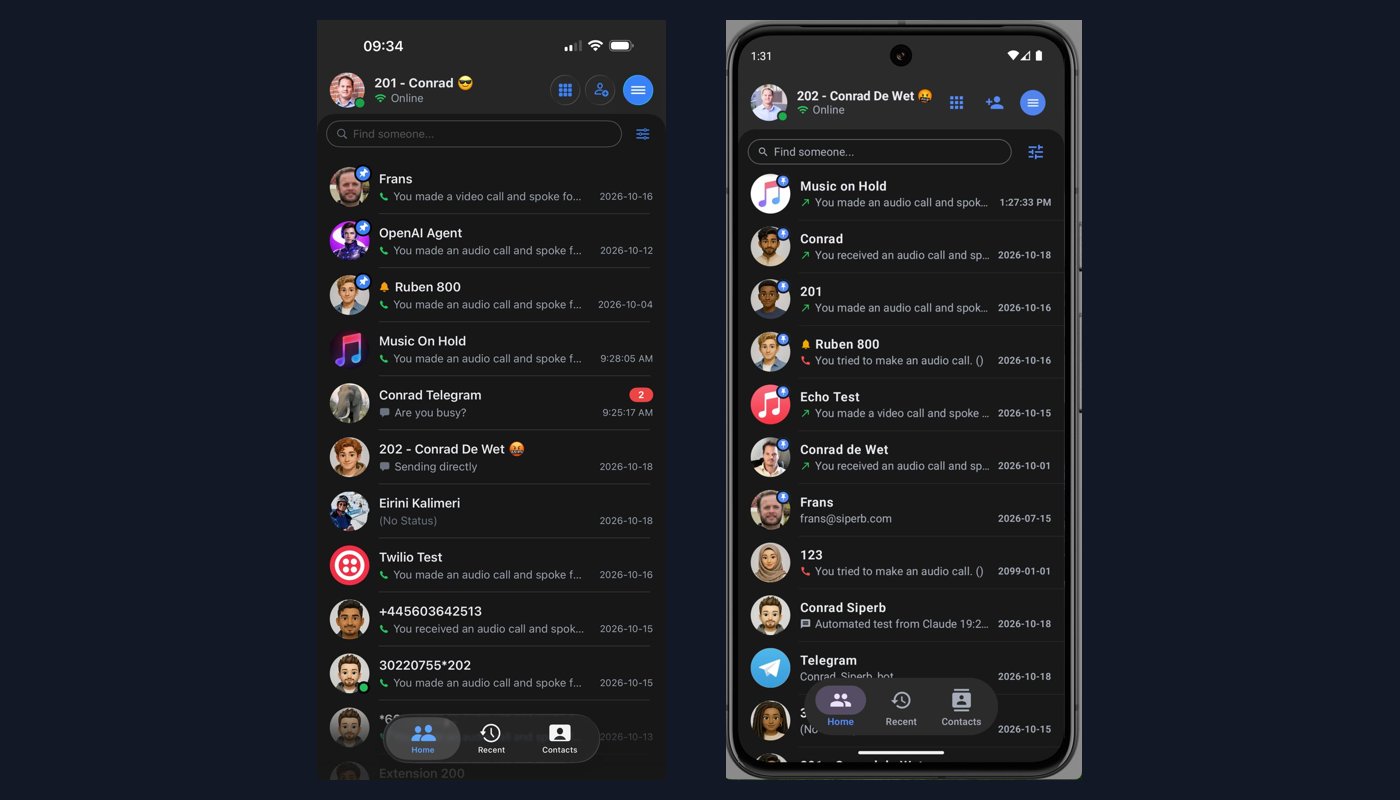
Native code gives the interface native speed, so scrolling, transitions and screen changes are smooth and fast. The app can also use each platform’s own design elements, such as Liquid Glass on iOS and Material 3 Expressive on Android, so it feels familiar from the first tap.
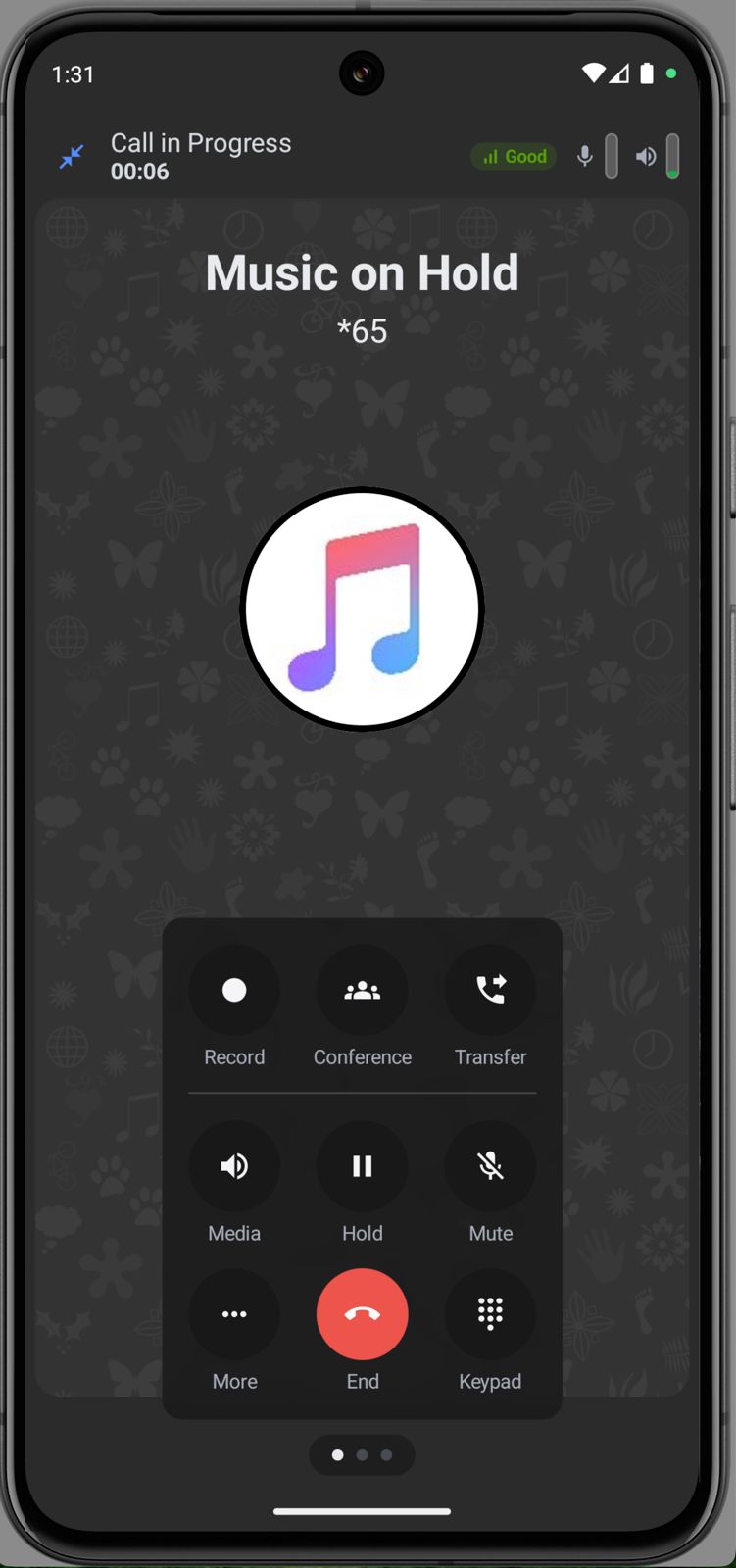
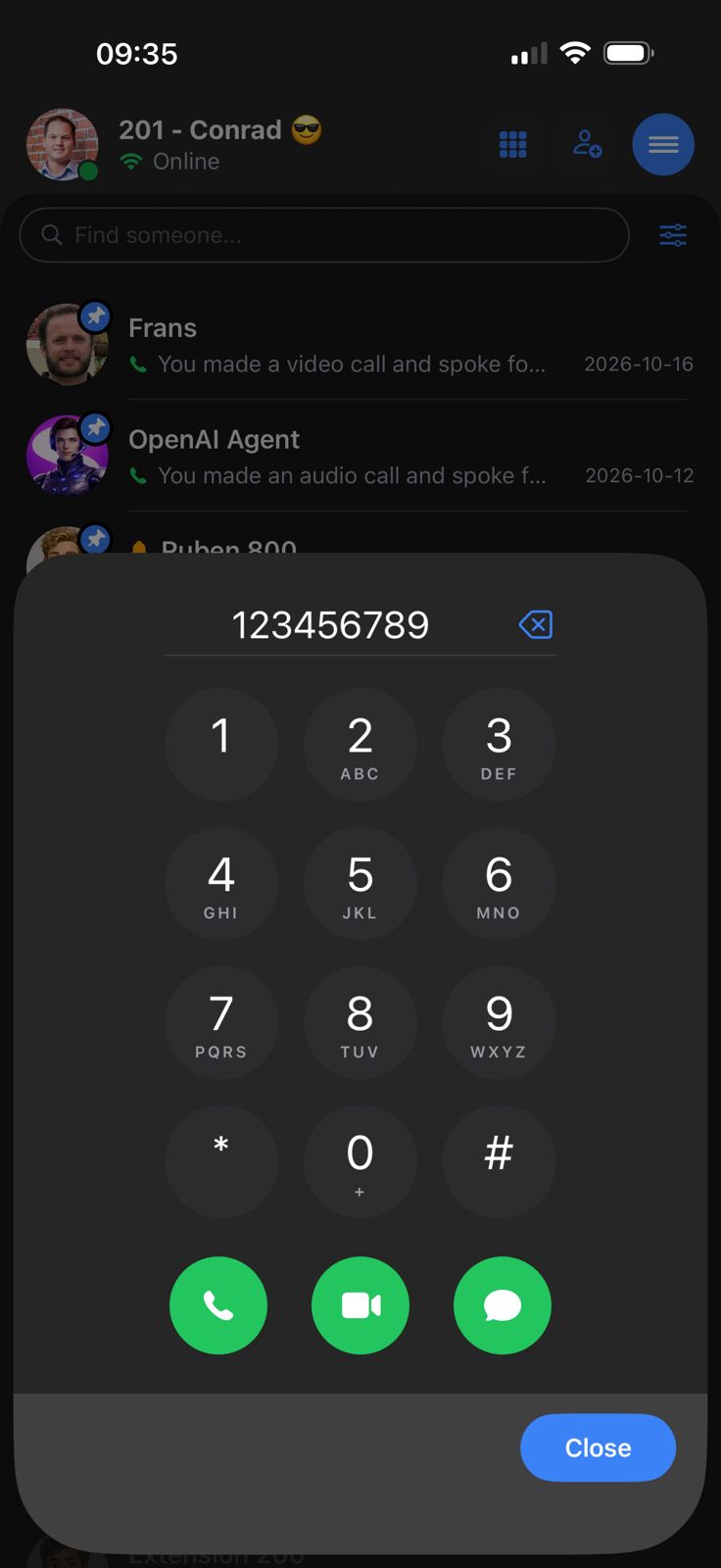
The features stay the same on both platforms because they come from the same core. Users get a searchable contact list, a dial pad that can start a voice call, a video call or a message, and a per-contact history of calls and messages. During a call, the controls cover hold, mute, transfer, conference, recording, the keypad and audio output.
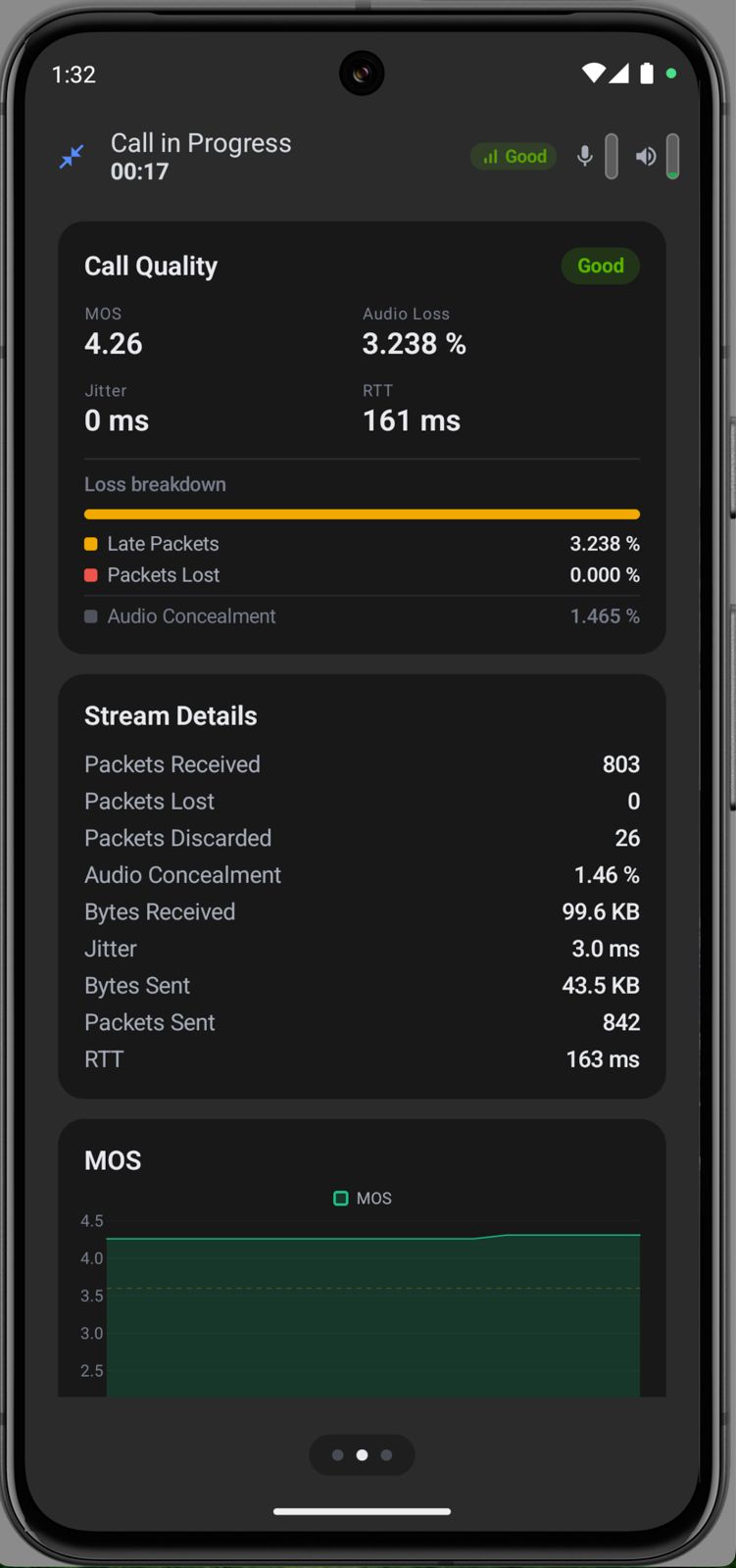
There is also a live call quality panel. It shows a MOS score, packet loss, jitter and round-trip time while the call is in progress. That is useful to the person on the call and even more useful to whoever supports them, because it turns “the line sounds bad” into numbers.
Incoming calls, handled the way each platform expects
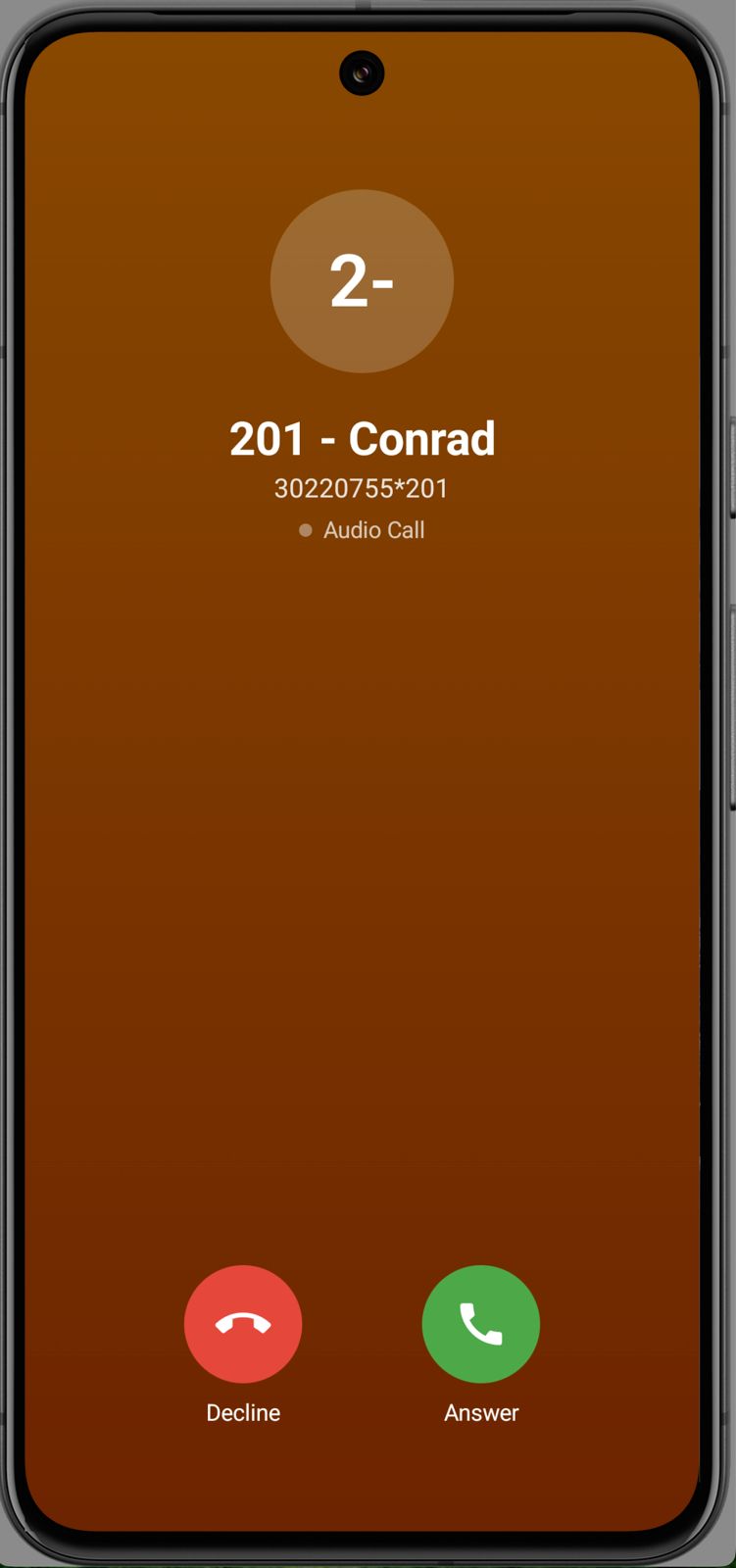
Incoming calls are where a mobile softphone succeeds or fails. A phone that is asleep or has closed the app in the background still has to ring, reliably, every time.
Apple and Google solve this differently. Apple provides CallKit, which lets a calling app present incoming calls through the system’s own call screen. Android has no equivalent ready-made solution, so the app has to build its own incoming-call handling. Siperb now implements both natively, so each platform gets the method that suits it best.
Both follow RFC 8599, the IETF standard for push notifications with SIP. It lets a push notification service wake a suspended SIP client so that the client can register and take the incoming call. In practice, a call to your extension rings your phone like an ordinary call, even when the app is not open.
What stays the same
The new architecture changes how the apps are built, not how Siperb fits into your setup. Siperb still sits between your existing PBX, such as Asterisk or FreeSWITCH, and your users, and the same account works across web, desktop and mobile. If you are weighing up whether a softphone can take over from the phone on the desk, our guide to replacing your desk phone with a WebRTC softphone covers the practical side.
For developers, the browser-based side of this work has its roots in the open-source Browser Phone project on GitHub.
The Android and iOS apps are available now from Google Play and the App Store, with web, Windows and Linux versions on the Siperb softphone downloads page.
Leave a Reply